Framework has a free Hobby plan and paid Starter, Pro and Plus plans. Paid plans include more projects, storage and AI credits, and can be billed monthly or yearly. Current prices and allowances are on the pricing page.
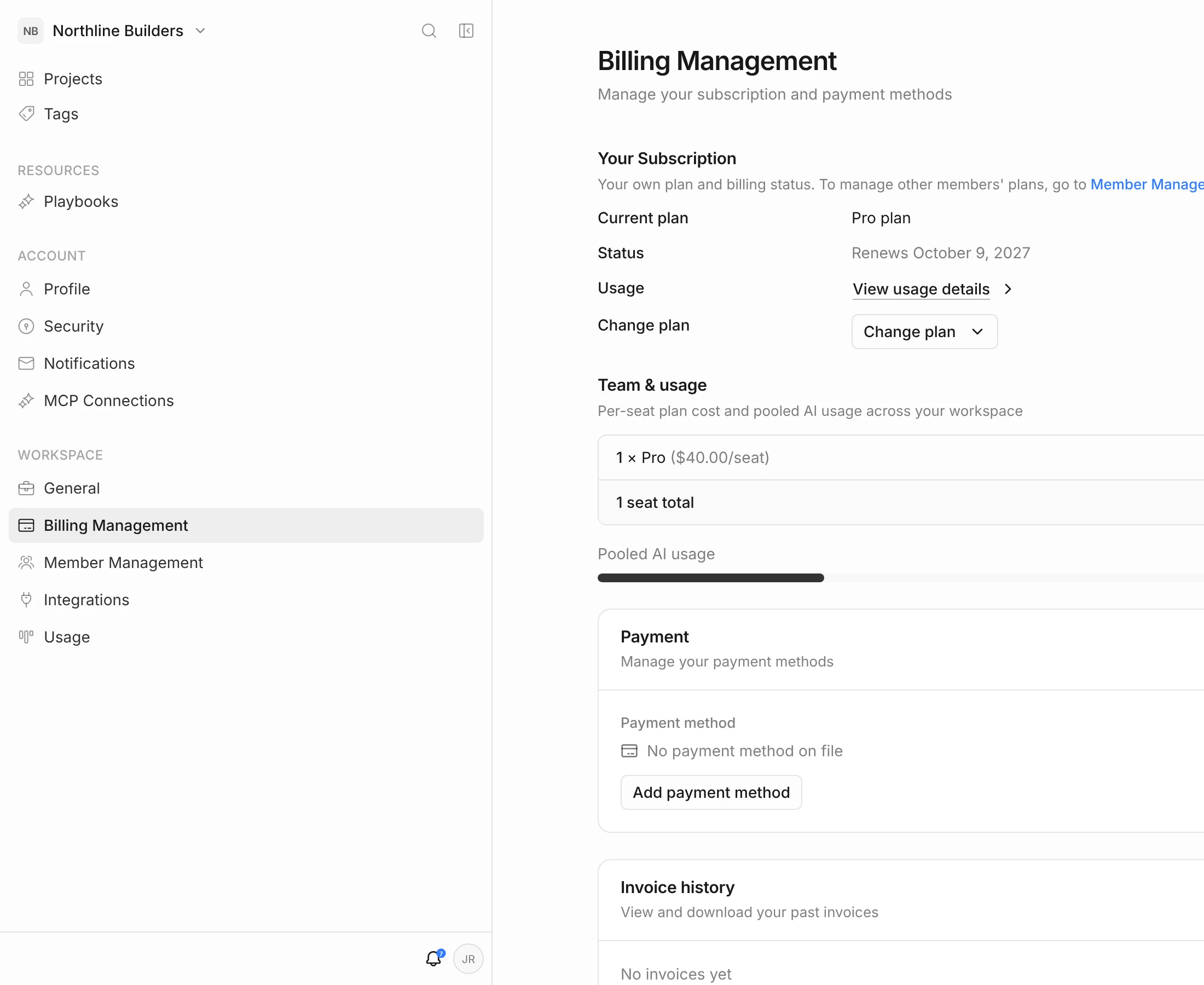
Open Billing Management
- Click your initials in the top-right corner, then Billing settings.
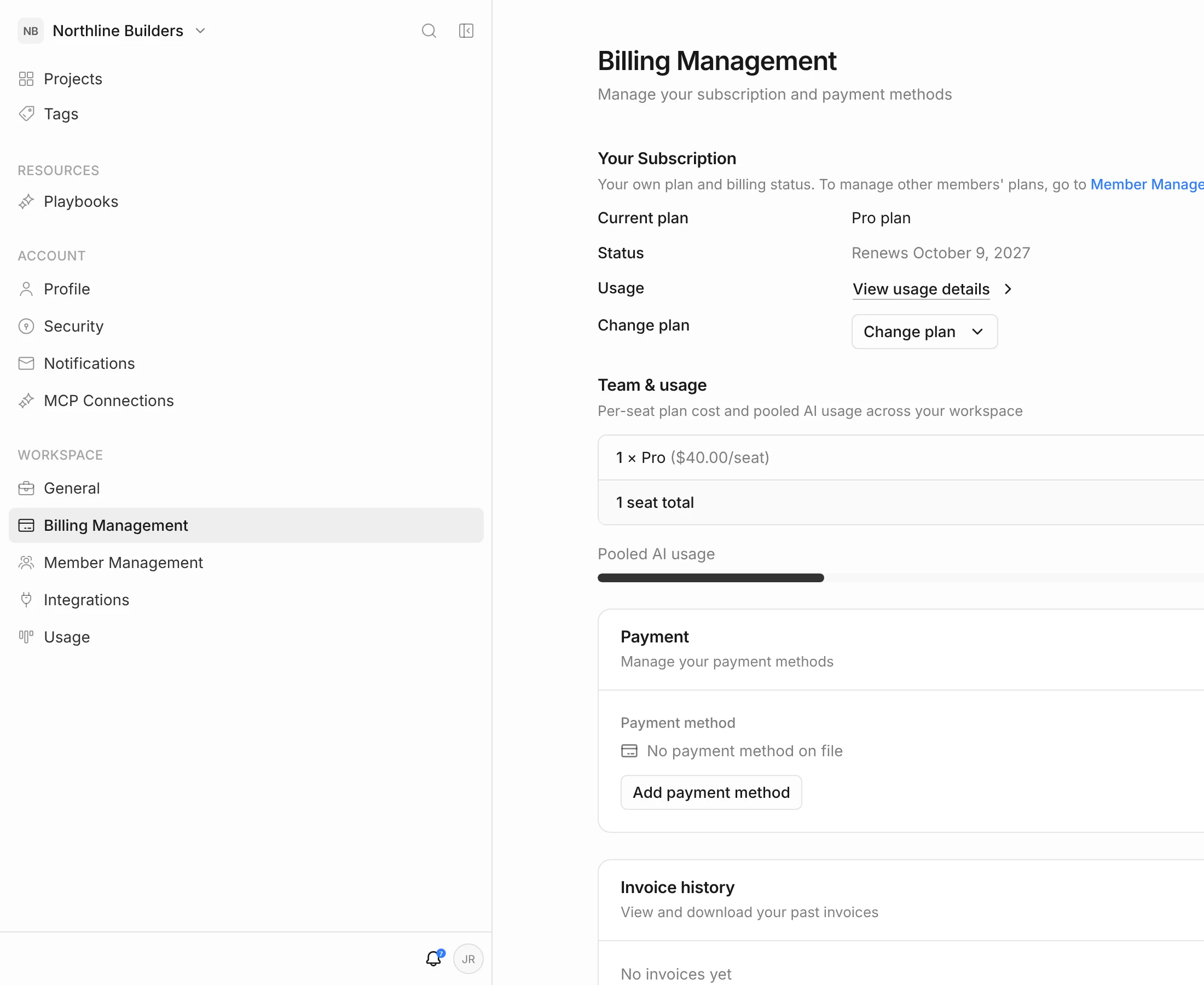
Under Your Subscription you see your Current plan, its Status (when it renews, when a trial ends, or when it ends after cancelling), a link to View usage details, and Change plan. If your workspace has members, Team & usage shows the seats on each plan and the pooled AI credits used.
Hobby and paid plans
- Hobby is free, for one person trying Framework on a single project. It has limited documents, storage and weekly agent use.
- Starter, Pro and Plus include unlimited projects, the agent and routines, and a monthly allowance of AI credits that grows with each plan.
- Per-seat. Each member of your workspace is billed at their own plan, and their credits are pooled. See Workspace & Team Members.
Start a free trial or subscribe
- On the Billing Management page, pick a plan. Use the Monthly / Yearly switch to compare prices.
- Click Continue.
- Enter your card details and click Start 7-Day Trial (or Subscribe if you’ve already used your trial).
Each account gets one 7-day free trial. Your card isn’t charged until the trial ends, and you can cancel any time before then. If you’ve already had a trial, you’re charged when you subscribe.
Upgrade, downgrade or switch billing period
- Click Change plan.
- Choose Monthly or Yearly, then pick a plan.
- Check the summary below the plans, then click Upgrade Plan or Downgrade Plan.
- Upgrades take effect immediately. You’re charged the prorated difference for the rest of the period.
- Downgrades on monthly billing take effect at the end of your billing period.
- Switching to yearly takes effect immediately.
- Yearly plans still get a monthly credit allowance, which resets each month.
If you’re on an older plan that’s no longer sold, the page says so. Picking a new plan moves you to the current plans, and you can’t switch back to the old one.
Cancel your subscription
- Scroll to Cancel subscription at the bottom of the Billing Management page and click Cancel subscription.
- Choose a Reason and add a short note under Tell us more.
- Click Confirm cancellation.
You keep your paid plan until the end of the billing period (or the end of your trial). The Status line shows the date it ends. After that, your account moves to the free Hobby plan and its limits apply.
Reactivate a cancelled subscription
Before the end date, click Reactivate subscription in the Cancel subscription section. Your plan carries on as if you’d never cancelled.
Who can manage billing
Only the workspace owner can change the workspace’s plan, add payment details and cancel.