2026.08.27
The complete list of changes below.
Added
- MCP Connections — Connect Claude or ChatGPT to Framework and your assistant works with your real project data: search a drawing set, check quantities, draft an RFI, upload a drawing.
- REST API — Behind the connectors sits a REST API with scoped, revocable keys for automation and integrations.
- Annual Billing — Every plan now offers a monthly/yearly choice at checkout.
- The Complete CSI MasterFormat Catalog — Cost code pickers in estimates, measurements, RFIs, and submittals now draw on the full MasterFormat 2020 hierarchy — 6,192 sections across 34 divisions.
Changed
- One Overage Rate — Token overage rate is has been reduced by over 50%. Tokens included in each plan have been increased by approximately 30%.
- Much Longer Conversations — Chat now makes real use of the model’s 1M-token window.
- More Reliable Web Search — Chat web search moved to a Perplexity-backed tool after the previous provider search was found intermittently killing runs mid-answer.
- AI Generated Plans — The AI will now generate work plans prior to commencing work.
Fixed
- Encrypted PDFs — Password-protected drawing sets failed in two different ways: some were wrongly rejected as “corrupted,” others reported success while sections of the document were unreadable to the AI. Both paths now decrypt and process cleanly.
- Stuck Conversations — various fixes to improve chat reliability to resolve mid stream pausing.
- Uploads Stuck at “Compressing” — Certain legacy PDFs failed compression and hung forever with no visible error. Compression now falls back through gentler levels — or proceeds with the original file — and any processing failure shows up in the failed-uploads list instead of hanging silently.
- Plain-Language Errors — “This document is too large for automatic AI analysis” now arrives in those words instead of a raw provider error, and a declined card at checkout reads as a declined card rather than a server fault.
- Ongoing Production Triage — A daily review of production errors ran throughout both months; the fixes above are the user-facing results, alongside dozens of smaller corrections.
Security
- One Permission Layer Everywhere — Chat tools, the REST API, and MCP connections all route through a single capability layer that checks project membership and role on every call — the app, your assistant, and the API can’t disagree about what you’re allowed to do.
- MCP Hardening — Only tokens issued through the OAuth connection flow can open the MCP door (an ordinary browser session token can’t), every connection is rate limited, and all connector activity is logged and monitorable.
2026.07.02
A big month for the team here at Framework. The workspace got a full navigation redesign, spreadsheets learned to calculate, drawings gained a real markup and takeoff toolset, the AI agent now plans multi-step work before it builds, and Framework picked up dark mode.
Added
- Dark Mode — A full light/dark theme for the entire app, with a sun/moon toggle in the sidebar footer. Your choice is remembered and applied before the page paints, so there’s no flash on load.
- Spreadsheet Formulas & Views — Sheets now support formulas, filters, saved views, and conditional formatting. Add a filter and every total, group, and footer reflects the filtered set. Create multiple views of the same data, and edit select-column options — add, rename, recolor — in place.
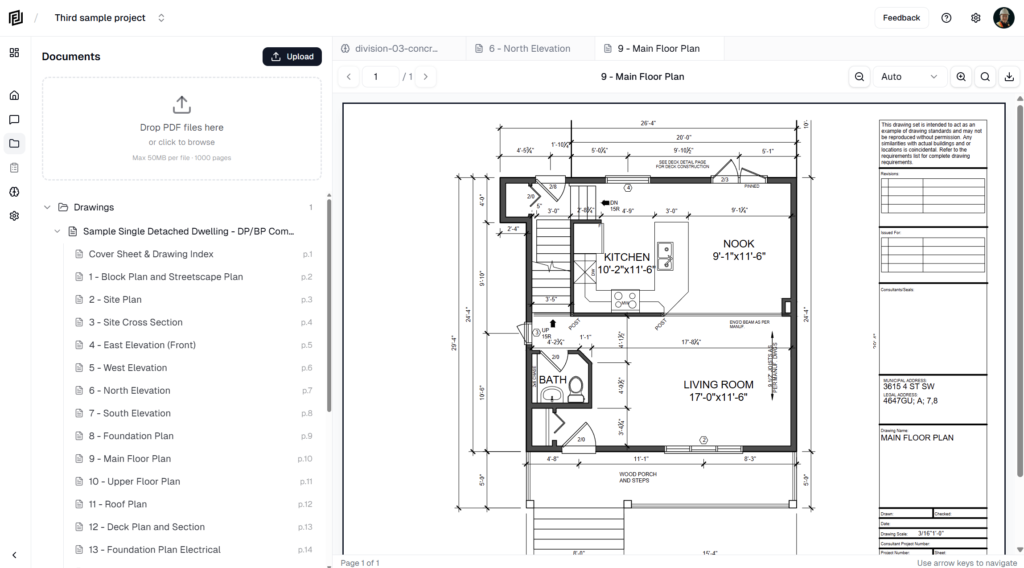
- PDF Markup & Takeoff Tools — The drawing viewer is now a full markup and measurement editor: shapes, lines, callouts, highlights, and stamps; area, perimeter, distance, and count measurements; multi-select, copy/paste, duplicate, layers with lock and z-order, and keyboard nudging. Markups and measurements flatten into exported and printed PDFs.
- Agent Plan — For multi-step work, the AI now researches, writes a plan, records findings under each step, and — if you ask it to — waits for your approval before building. The plan opens in its own workspace tab, and every document it produces is logged to it.
- Workspace Skills — Save your company’s reusable prompts once and attach them to any chat from the composer, instead of re-pasting the same instructions. Skills are workspace-wide: owners and admins manage them, any member can use them.
- System Skills — A set of platform-curated skills, managed by Framework and toggled on or off per workspace, alongside your own (more to follow).
- Targeted Contact Notifications — Notify specific contacts on an RFI or submittal from a new Notify column, and let the AI drive it directly in chat. Recipients open a no-login public review form to respond — no account required.
Changed
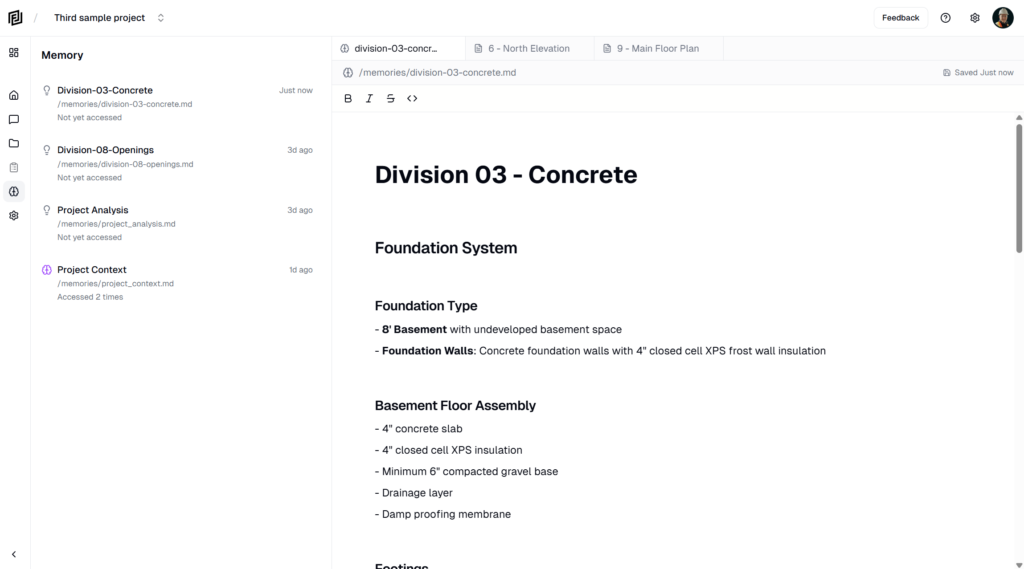
- Redesigned Workspace Navigation — The in-project icon rail is replaced by a single unified sidebar with a Workspace · Agents · Files toggle, so every area is legible by label instead of hover-to-discover icons. Contacts folded into Workspace; Routines and Memories folded into Agents.
- Create-First Home — The workspace home now leads with building: a “What would you like to create?” headline, blank starters (Note, Estimate, Sheet, Schedule), and the full template catalog inline — no modal needed to browse.
- Global Category Sidebar — Projects, Resources, and settings now live in one floating category sidebar that matches the in-project chrome, with the selected category’s data in the main viewport.
- Redesigned Projects Screen — Projects are now compact rows grouped by Your projects / Shared with you / Archived, with sorting (last active, name, date created), pagination, and a streamlined new-project modal that captures name, image, and location.
- Rebuilt Mobile Navigation — Mobile back and forward are rebuilt on a single navigation stack, fixing screens that resurrected on back or reload. The mobile home, bottom bar, and settings sheet were redesigned to match the new sidebar.
- Onboarding Refresh — A note-styled “Welcome to Framework” launcher with an embedded task list and a restructured quick-start guide.
- Smarter Long Conversations — Document-heavy chats that used to stall on the model’s context limit now trim and compact large tool outputs, trigger compaction sooner, and fail gracefully with a clear message instead of freezing silently.
Fixed
- Missing Sample Documents for New Users — Some new accounts finished onboarding with no project and no sample documents when the client-side seeding call never completed. Seeding now also fires server-side, so it can’t be skipped.
- PDF Loading Hang — Fixed a regression where PDFs hung on load after a dependency update left the viewer engine and its runtime binary on mismatched versions.
- Chat Web Search Crash — chats that ran a web search could fail through the AI Gateway. Switched to the basic web-search tool to avoid the rejected request.
- Missing Reasoning in Chat — Restored the streaming “thinking” view in chat, which stopped appearing under Sonnet 5’s new defaults.
- Sheet Editor Crash — Guarded the sheet cell editor against a null option value that could crash the grid.
Performance
- Faster Large Sheets — Sheet grids over 100 rows now virtualize, rendering only the visible rows instead of the entire table.
- Leaner AI Context — Trimmed the largest recurring tool outputs (document lists shrank roughly 60–65%) and switched to compact serialization, so document-heavy conversations stay well under the model’s context limit.
Security
- Permissions Hardening — A multi-phase pass on project and workspace access control to harden project data.
2026.06.07
A lot of work has gone into cleaning up the platform and creating a more cohesive experience for our users over the last two weeks.
Added
- Public Share Pages — Publish any note, sheet, estimate, or schedule to a public read-only link that anyone can open without logging in. Shared pages render with the same editors you use in the app, and you can brand them with a company from your directory — logo, name, and accent color across the top. Toggle sharing on or off from the document’s actions menu; your link stays the same when you re-enable it.
- Custom Icons for Documents — Give any note, sheet, schedule, or collection its own icon. Pick an emoji or an icon from the library, and it shows in the sidebar, the breadcrumb, and at the top of the document — so your workspace reads at a glance.
- Richer Notes — To-do checkboxes, collapsible toggle blocks, and better links: hover a link for a preview menu, click to follow. Plus a “+” handle next to each block that opens the command menu in place.
Changed
- Schedule Editor Upgrades — A batch of editing improvements for building schedules fast: bar labels on the Gantt timeline (task name, dates, duration, % complete — configurable per schedule), copy and paste tasks with Ctrl/Cmd+C and V, an Excel-style fill-down handle on name and duration cells (names auto-increment: “Pour slab 1” → 2, 3…), and the Insert key to add a task below the current row. Bulk-linking tasks is now a single fast operation, new tasks default to 5 working days, and connector dots stay separated on narrow bars.
- Redesigned Workspace Chrome — The project workspace got a cleaner frame: the top bar is gone, replaced by a breadcrumb header with the project switcher, your open file, and its save status, export, and actions all in one place. The icon rail now runs full height, Home and Workspace merged into a single landing tab, and chat controls float over the conversation instead of sitting in a solid header.
- Refreshed Look — A full palette refresh across the app: warm stone neutrals, a refined indigo-blue accent, and clearer hover and selected states. Settings screens were standardized across account, workspace, and project with larger headers and consistent layouts, and mobile settings moved into a slide-in panel that matches desktop.
- Mobile Parity — The mobile document header now has the same actions as desktop: export, share to web, copy, and delete for notes, sheets, estimates, and schedules.
- Mobile Editing Toolbar — Editing notes on your phone now uses a single docked formatting bar with the full desktop formatting set plus move-up/move-down buttons — no more fiddly drag handles on touch screens. It stays reachable above the keyboard on iOS and Android.
- More Natural AI — The assistant uses your name the way a colleague would — a greeting up front, sparingly after that.
- Mobile Create Button — A new “+” button in the mobile tab bar starts a new agent chat or a new page in one tap.
- Message Feedback — Thumbs up or down on any AI response (with an optional comment) so you can tell us directly when the assistant nails it or misses. Copy and retry buttons got satisfying feedback too.
- Sample Project for New Users — New accounts now start with a sample project — real drawings, a welcome note, and a ready-to-send first question — so you can see what Framework does before uploading your own documents.
Fixed
- PDF Zoom — Pinch and trackpad zoom in the document viewer no longer snaps the view to the left edge of the drawing. Zooming now holds your position correctly.
- Long Conversations — Fixed an error that could break a conversation after it was compacted, leaving the AI unable to respond until you started a new chat.
- Documents Reopening Themselves — Returning to a past conversation no longer reopens documents the AI had created in it.
- RFI Detail View — Restored the Question and Attachments fields on RFI entries, brought back the grouped layout (Details, People, Dates, Impact & References), and removed the duplicated subject field.
2026.05.29
In this weeks update we’re sharing a number of new features and revisions to existing ones that will help us deploy new more advanced features quickly in the coming weeks.
Added
- Drawing Markups — Draw directly on any PDF with arrows, rectangles, ellipses, clouds, freehand, polylines, highlights, and text boxes, organized into markup groups. Includes ten built-in stamps (Approved, Approved as Noted, Reviewed, Revise & Resubmit, Rejected, Draft, Confidential, Void, Received, For Review), per-markup styling for color, line width, fill, and text, and a live preview as you draw.
- Download with Markups — Export any drawing as a flattened PDF with your markups baked in, ready to email or file. The original page text stays selectable in Acrobat and Preview.
- RFI & Submittal Registries — Dedicated RFI and Submittal logs with detail views, auto-numbering (RFI-001, SUB-001), file attachments, and a built-in CSI MasterFormat spec-section picker. RFIs track responses; submittals track review decisions (Approved, Approved as Noted, Revise & Resubmit, Rejected). A reusable person picker lets you assign contacts and create new ones inline, and the responsible contractor auto-fills from the selected contact’s company.
- Connections (Google Drive & Box) — Link your Google Drive or Box account and import PDFs straight into any project from the Document Manager — no downloading and re-uploading. Imported files are processed exactly like a desktop upload and tagged with their source.
- Notification System — A new in-app notification center, alongside on-screen toasts, that tells you when documents finish processing (or fail) and when the AI creates a note, sheet, or schedule for you. Notifications arrive in real time and link straight to the item.
- Notes: Inline Images — Add images to notes by drag-and-drop, paste, the
/imagecommand, or the toolbar. Resize, align, caption, and add alt text. - Notes: Weather Widget — Insert a weather block with
/weatherfor any location and date — useful for daily reports and delay documentation. - Sheets: Computed Columns — Add columns whose value is driven by a formula referencing other columns, built with a chip-based editor with autocomplete. Computed values feed sorting, grouping, and totals, and export as live Excel formulas.
- Bulk Row Duplication — Select rows in a sheet or tasks in a schedule and duplicate them in one click. Sheet copies respect auto-numbering; schedule copies insert directly after the original.
- New Templates — Five field-operations sheets (Manpower Tracker, Equipment Inspection Log, Prepour Checklist, Punch List, Procurement Log) and six formal letters (Memo, Transmittal, Notice of Delay, Notice of Backcharge, Warranty Letter, Stop Work Notice).
- AI Clarifying Questions — When a request could go more than one way, the assistant now pauses and asks a short multiple-choice question instead of guessing.
Changed
- Workspaces — A new team layer that powers Connections and billing. Connections and subscriptions belong to your workspace rather than a single login, with a redesigned Workspace screen (recent conversations, recent documents, usage) and a workspace settings page.
- Template Picker Redesign — Templates are now organized by construction workflow phase (Legal, Preconstruction, Reporting, HSE, Quality, Schedule, Cost Management, Closeout, and more) in a cleaner single-column list.
- AI Registry Support — The assistant can now create and manage RFI and submittal registries from chat — build a log, add entries, and record responses, then open the result as a clickable card.
- Smarter Estimates — The AI now produces more complete estimates: full CSI-division coverage, paired material and labour line items, and unit rates drawn from credible professional sources rather than consumer retail pricing.
- Upgrade & Plan Switching — The upgrade dialog now shows your current plan and lets paid users switch tiers directly — upgrades apply immediately, downgrades take effect at period end.
- Cancellation Feedback — Cancelling a subscription now asks for a reason so we can keep improving.
Fixed
- Overage Billing — Metered usage charges were still not firing after an earlier partial fix. Usage tracking and overage billing are now fully restored.
- Date Picker — Fixed a timezone bug where sheet dates could display one day early, and fixed the calendar closing when navigating between months.
- Status Dropdowns — Fixed status selectors in detail views that wouldn’t open or respond to clicks.
2026.05.11
Added
- Schedule & Gantt Charts — Build construction schedules directly inside your project. Grid editor on the left, interactive Gantt timeline on the right. Add activities, set durations, drag bars to reschedule, and draw dependencies between tasks. A critical path engine calculates your dates and float automatically. Zoom from day to quarter view.
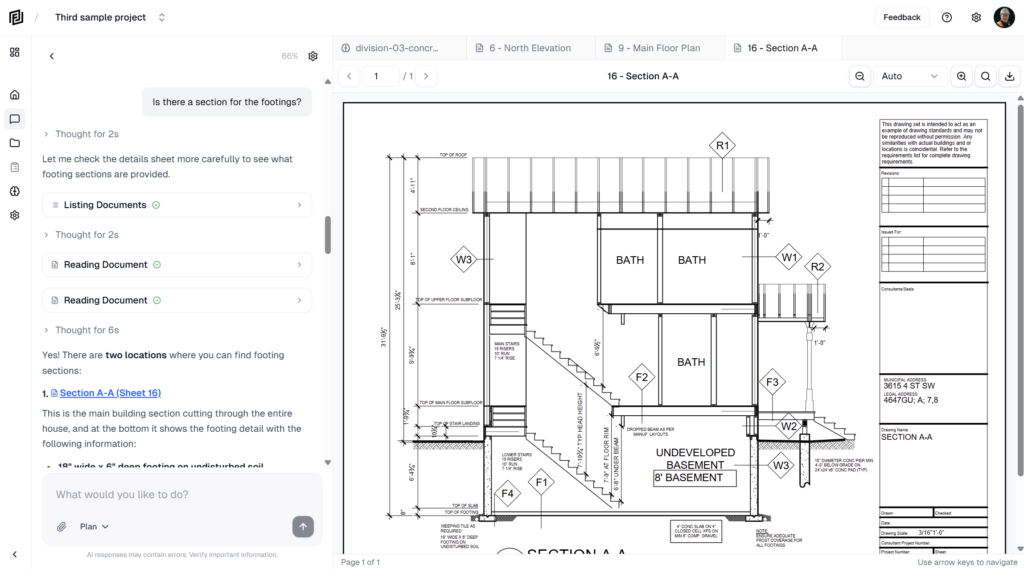
- AI Routines — Set up recurring AI tasks that run on a schedule. Describe what you want done in plain language, pick a frequency (manual, hourly, daily, weekdays, weekly), and the AI handles it. Each run creates a reviewable conversation so you can see exactly what it did.
- Multi-User Live Chat — Team members viewing the same conversation now see the AI response stream in real time. A lock prevents concurrent sends, and author chips show who said what.
- Notification Preferences — Control document-ready and document-failed email notifications from your account settings.
Changed
- Smarter Context Management — Long conversations now compact gracefully instead of hitting the context limit. A structured summary preserves your project knowledge across extended sessions, and a real-time indicator shows when compaction is happening.
- UI/UX Polish — Unified loading indicators, click feedback on project cards and conversations, route progress bar, loading skeletons, iOS-style drawer easing, and haptic feedback on mobile.
- Lower AI Costs — Optimized caching and context thresholds to reduce per-conversation API spend.
Fixed
- Overage Billing — Metered usage charges were silently broken for two weeks. Usage tracking is now restored and working correctly.
- Past-Due Subscriptions — Past-due accounts were still able to use the platform. They’re now gated with a banner linking directly to the open invoice.
- Mobile Navigation — Fixed several issues where tapping a conversation on mobile did nothing, opened the wrong chat, or double-loaded.
- Chat Lock Recovery — If the AI crashed mid-response in a multi-user conversation, other users could get stuck seeing “someone is chatting” permanently. Stale locks now self-heal.
Security
- Chat Stream Authorization — The live stream endpoint now verifies the caller is a project member before allowing access.
- Multi-User Chat Policies — Row-level security policies aligned so team members can properly read and write in shared conversations.