One workspace for the whole project
Drawings, takeoffs, estimates, schedules and the paperwork in between – with an AI agent that works across all of it.
Built for construction. Use every feature by hand, or ask the agent to do it for you.
Document analysis
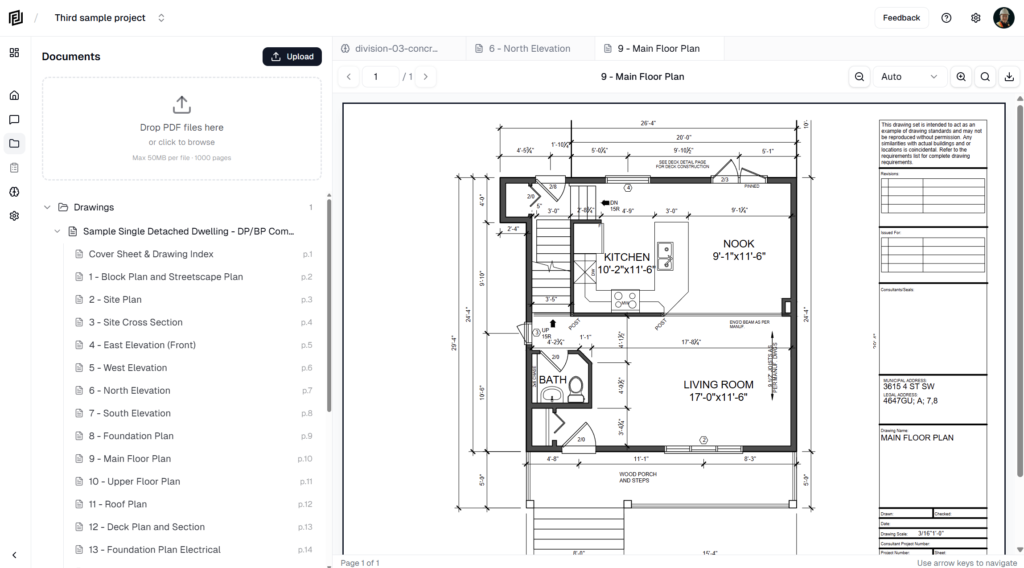
Upload your drawings and specs and Framework does the filing. Every sheet is split out, titled from its title block and logged in your contract documents register – ready for you and the agent to search.
Learn more →On screen measurements and takeoffs
Measure lengths, areas, volumes and counts right on the drawing, at the scale read from the title block. Or ask the Takeoff Agent and watch it measure every wall and room for you.
Learn more →Estimates
Build trade or elemental estimates with cost codes, sections and breakdowns. Pull quantities straight from your takeoffs, or have the agent price the whole scope from the drawings – with every step and assumption on show.
Learn more →Schedules (Gantt charts)
A full CPM scheduler with WBS, links, float and the critical path, from day to quarter views. Build it by hand, start from a template, or let the agent draft it from your drawings.
Learn more →RFIs and submittals
Log, number and track every RFI and submittal. Consultants answer and review from an emailed link – no account needed – and the agent can draft the RFI for you.
Learn more →Notes and reports
Meeting minutes, daily reports, notices and letters from 30+ construction templates. Embed live tables, export to Word or PDF with your logo, or ask the agent to write the first draft.
Learn more →Company directory
Every company on your drawings, found from the title blocks and added for you to approve – with logos, contacts and every document they’ve issued, all in one place.
Learn more →More from the agent. It works across every feature on this page – and brings a few more of its own.
Inline citations
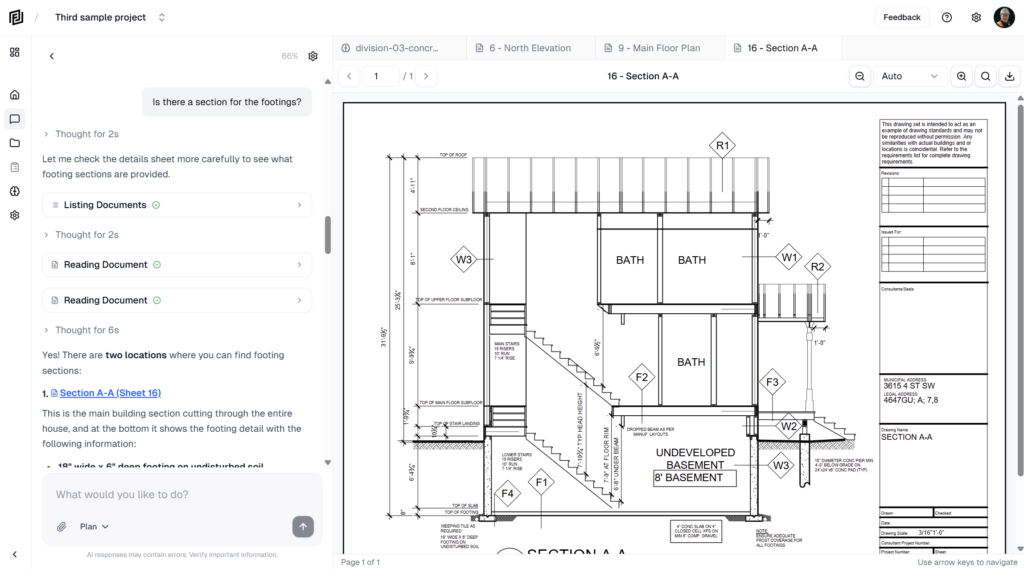
Every answer links to the sheet and page it came from.
Playbooks
13 standard deliverables, built the way an experienced builder would.
Routines
Schedule recurring work – daily, weekly or the days you pick.
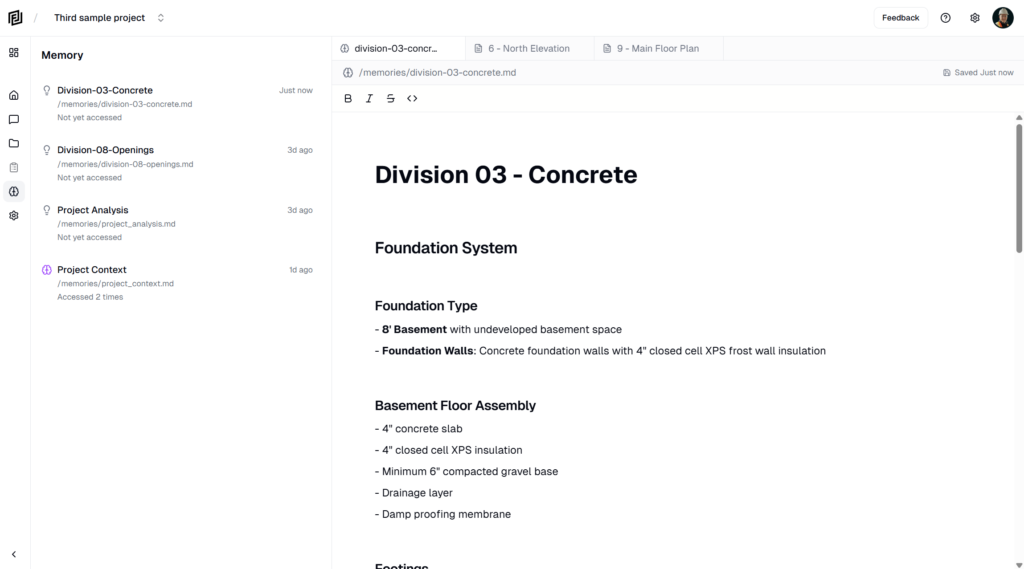
Project memory
Remembers your rates, preferences and project details.
Connected data
Reads your P6, Microsoft Project, Planner and Excel data.
Web search
Looks up codes, products and regulations for you.
Photos and PDFs
Drop a site photo or a PDF into the chat and ask.
Your choice of model
Claude, GPT and Gemini – with your own default.
Works with the tools you already use. And the people outside your team.
Integrations
Import files and sync your schedules, logs and trackers – the agent can read them too.


Claude and ChatGPT
Connect Framework to your own AI assistant and work on your projects from there.
Outside reviewers
Consultants answer RFIs, review submittals and price bid packages from a link – no account needed.
Sharing and exports
Send a view-only link to anyone, or export to Word, Excel and PDF with your logo.
What would you like to get done?
Upload a drawing set and ask your first question. It takes a couple of minutes, and the free plan is free forever.