
Many of our users re-use the same prompt over and over again across projects to ensure consistency. In the past those users copy and paste the same prompts each time they need it.
Today we’re making that unnecessary. Workspace Skills let you save your best instructions once and attach them to any chat with a click — so the whole team gets the same expert output without anyone re-typing a thing.
Save a Prompt Once, Use It Everywhere
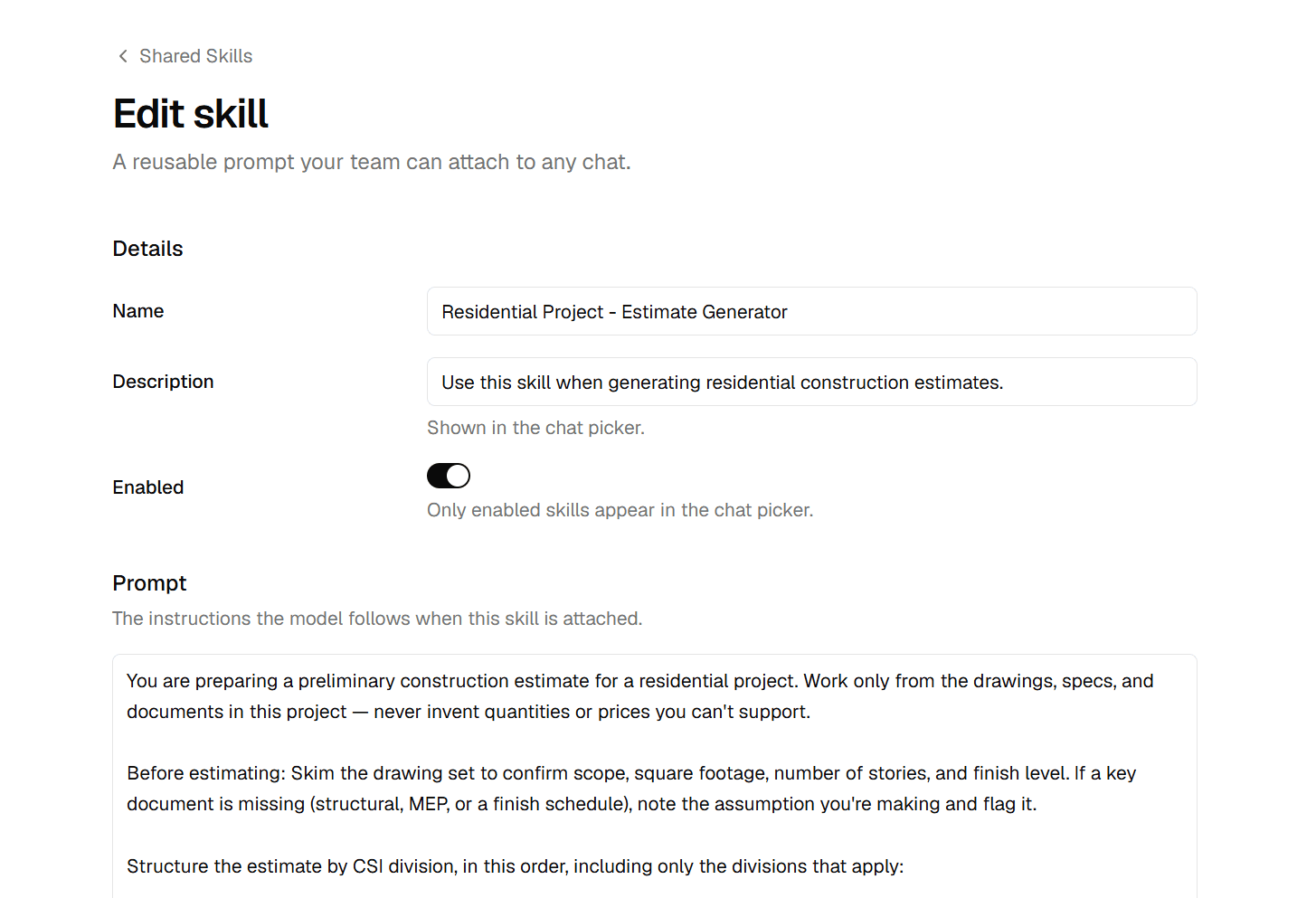
A skill is a reusable prompt with a name. “Draft a subcontractor scope in our format.” “Review this submittal against the spec section.” “Summarize these drawings for a client update.” You write the instruction once, give it a name, and it joins your workspace’s skill library.
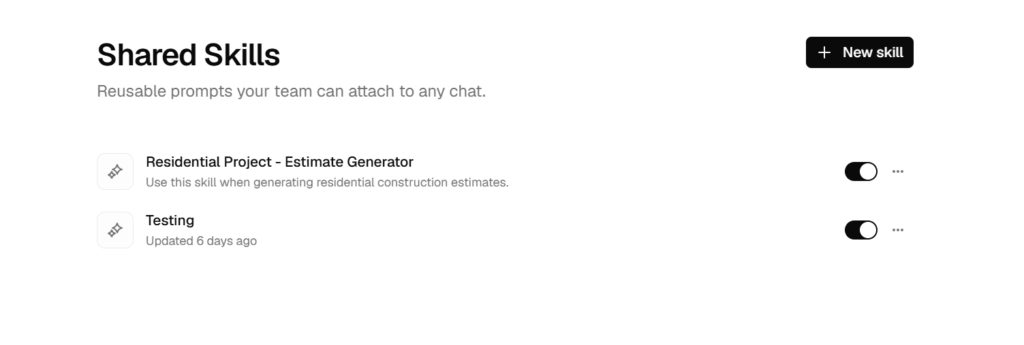
Skills live in a new Shared Skills area in the sidebar, listed like your projects. Creating or editing one opens a clean full-page editor with plenty of room for long, detailed prompts — the kind you’d never want to retype.
Attach to Any Chat in a Click
In the chat composer, open the Skills picker and select the ones you want. They appear as chips above your message, and they apply to that message the same way an attached document does. Send the message and the AI follows the skill’s instructions — the chip stays in your conversation as a record of what was applied, and a click on it opens the skill.
Because skills attach per message, you can mix and match: pull in your “scope format” skill for one request, then your “submittal review” skill for the next, all in the same conversation.
Consistent Output Across Your Whole Team
This is really about consistency. When your company’s know-how lives in one shared library instead of a dozen personal notes files:
- Everyone gets the same quality — a new hire’s output matches your best estimator’s, because they’re using the same skill
- Your standards travel — the way you word scopes, structure RFIs, or format client letters is baked into the prompt, not left to memory
- Improvements are instant — refine a skill once and everyone’s next chat gets the better version
Skills are workspace-wide. Any member can use them; owners and admins manage the library, so the shared prompts stay curated rather than sprawling.
System Skills, Ready to Go
Alongside the skills you write, Framework ships a set of System Skills — platform-curated prompts we maintain for common construction tasks. Toggle the ones you want on for your workspace and they sit right beside your own, so you get a head start without building a library from scratch.
How It Works in Practice
Scenario: Your company has a specific way it writes subcontractor scopes.
- Open Shared Skills and create a skill called “Subcontractor Scope — Our Format”
- Write the full instruction: the sections you want, the tone, what to pull from the drawings, what to leave out
- From any project chat, open the Skills picker and attach it
- Ask the AI to draft the scope for the drywall sub — it follows your format exactly
- Every estimator on your team does the same, and every scope comes out consistent
Getting Started
- Open Shared Skills in the sidebar and create your first skill
- Give it a clear name and paste in your best prompt
- In any chat, open the Skills picker in the composer and attach it
- Browse the System Skills and toggle on the ones that fit your work
What’s Next
- Skill folders and categories — organize a growing library
- Project-specific skills — prompts scoped to a single job
- Skill suggestions — the AI recommends the right skill for what you’re asking
Ready to put your company’s best prompts to work? Log in to Framework and create your first skill.
Have feedback or feature requests? We’d love to hear from you at hello@framework.construction.
Framework is the AI-powered construction platform that helps you find information, measure quantities, estimate costs, schedule work, and manage your projects — all from the documents you already have.


