
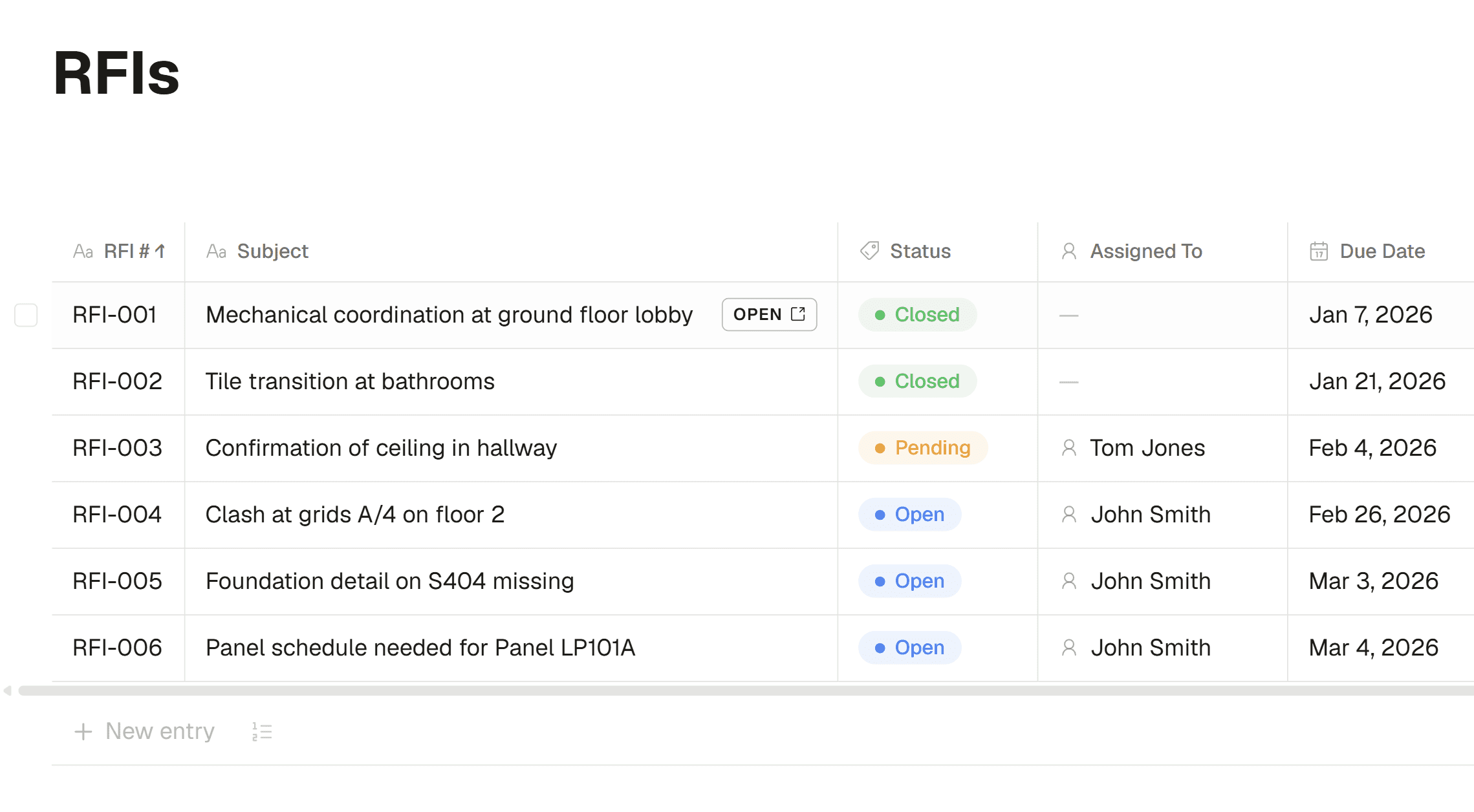
Every project runs on RFIs and submittals — and for most teams they live in a spreadsheet someone updates by hand, a string of emails, or a system that costs more than the rest of your software combined. Today Framework adds dedicated RFI and Submittal registries, so the logs your project depends on live right alongside your drawings, documents, and AI assistant.
A real log, not a spreadsheet
Each registry is a proper log. Every entry is automatically numbered — RFI-001, SUB-001, and so on — so nothing slips through the cracks and everyone references the same number. Open any entry to see its full detail: the question or item, who’s responsible, the relevant spec section, attached files, and its current status.
Track the whole lifecycle
The point of a log is following an item from open to closed, and that’s built in. On an RFI, you assign the responsible person, set a due date, and record the response when it comes back. On a submittal, you track the review and log the decision — Approved, Approved as Noted, Revise & Resubmit, or Rejected — with reviewer and comments. Attach the PDFs that go with each item so the drawing, the question, and the answer all stay together.
Built for construction
Because these registries were made for the field, the details that matter are already there. Tag the relevant CSI MasterFormat spec section from a built-in picker instead of typing it from memory. Pick the contact who submitted an item and the responsible contractor fills in automatically from their company. And a reusable person picker lets you assign teammates and contacts — or create a new contact on the spot without leaving the entry.
Your AI assistant can work the log with you
Registries are a full part of Framework, which means the AI can help you run them. Ask it to start an RFI log, add entries from a drawing review, or record a response, and it does — then hands you a clickable card to open the registry. The same questions you ask about your project can now turn straight into tracked, numbered log items.
What’s next?
Within registries is a workflow system for managing how RFIs and Submittals get assigned, including email notifications. We’re actively developing this and should have it deployed in the next 2-4 weeks. This will allow you to manage your full project on Framework.


