
We just shipped one of the largest updates to Framework since launch — a complete rework of how content is created, organized, and managed inside your projects. The short version: everything lives in one place now, and the AI knows how to work with all of it.
One Workspace, Every Content Type
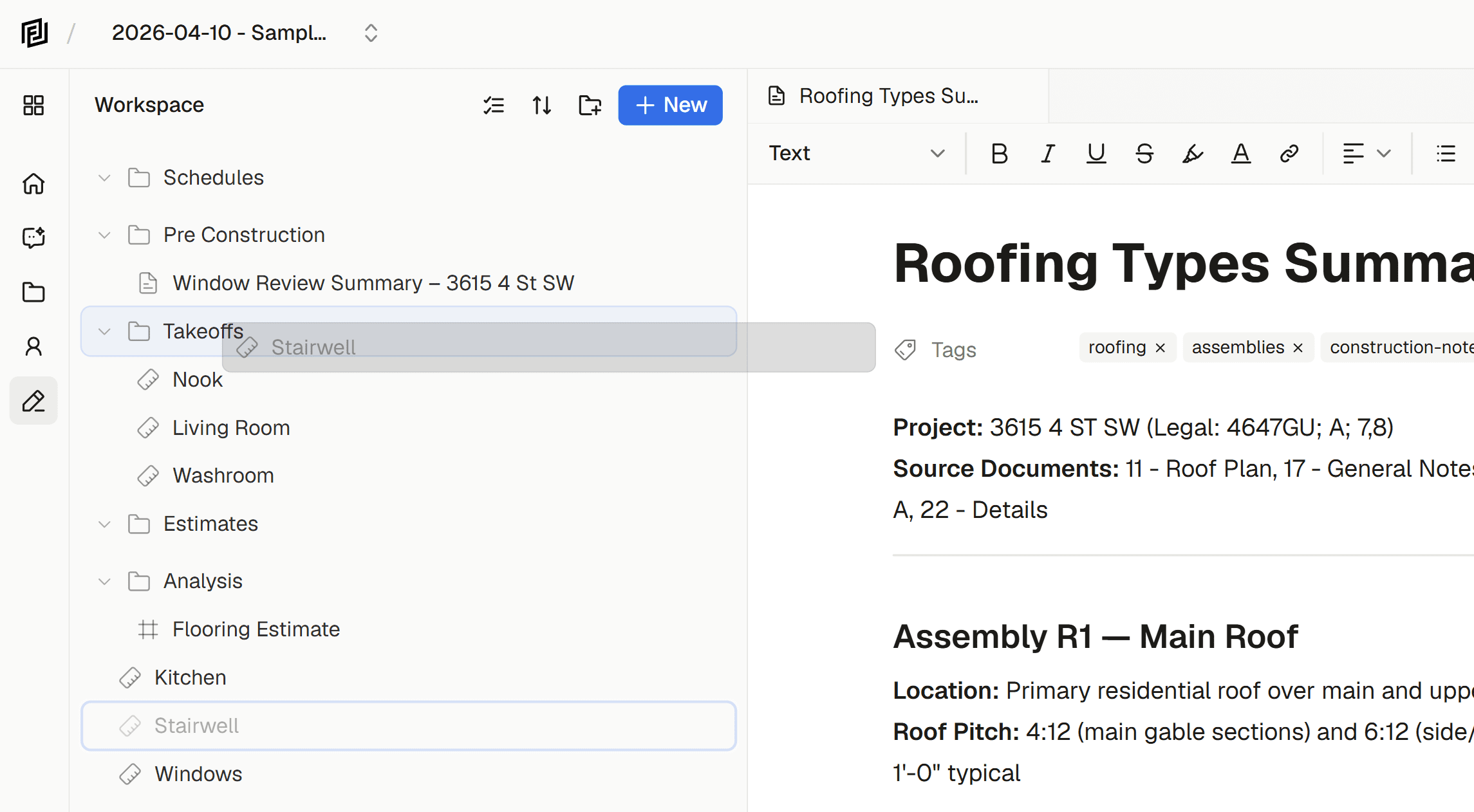
Previously, estimates, notes, and measurement sets each had their own sidebar, their own creation flow, and their own API. If you wanted to see everything in a project, you were clicking between tabs.
That’s gone. The unified workspace sidebar puts every piece of content — notes, estimates, sheets, measurement sets — into a single tree. Drag items into collections. Rename them inline. Multi-select and bulk delete. It works the way a file browser should.
Collections are flexible. Drop an estimate next to a meeting minutes note, group your safety checklists together, organize however makes sense for your project. No rigid folder hierarchies — just flat collections you can nest items into.
Templates That Actually Save Time
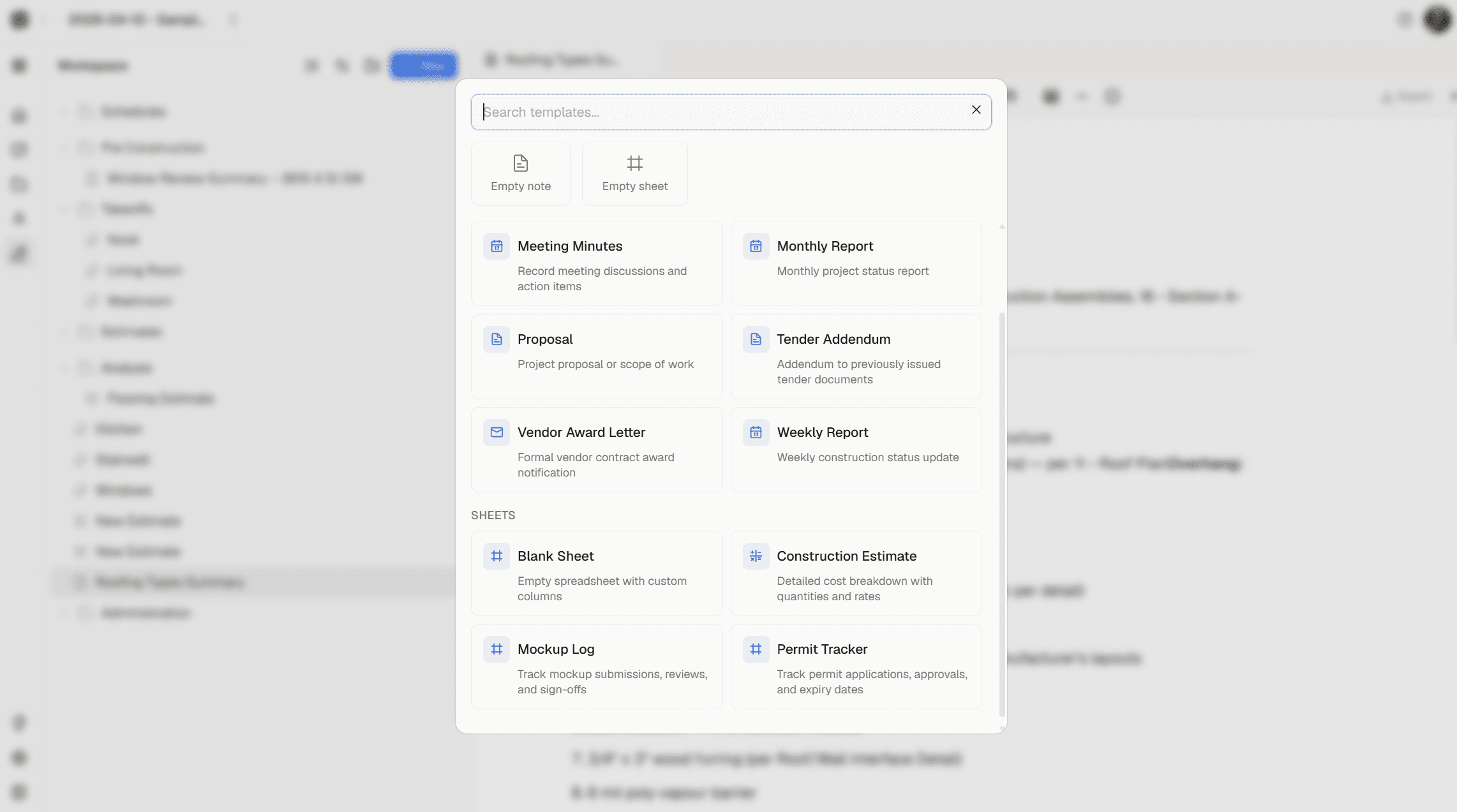
Creating a new document now starts with a template picker. Choose from professionally formatted templates designed for construction workflows:
- Meeting Minutes — attendee table, action items with ball-in-court and due dates, document properties for date, time, and location
- Monthly Report — executive summary, construction status, financial snapshot, project admin sections with RFI and submittal tracking
- Proposal — introduction through fees, schedule, and construction plan — structured for professional submissions
- Letter — clean letterhead format with sender/recipient blocks and signature line
- Blank Note — start from scratch
For sheets, pick from Estimate (with CSI codes, quantities, rates) or Blank Sheet (define your own columns). More templates are coming — QAQC checklists, safety logs, and custom templates you’ll be able to build and share.
Every template generates real, editable content — not placeholder text you have to delete. Tables come with proper column widths. Properties are pre-configured. You’re writing within seconds of clicking “New.”
A Better Editor
The document editor got a serious upgrade this month:
- Floating toolbar — select text to get quick access to bold, italic, underline, strikethrough, highlight, links, text color, and block type conversion
- Block action menu — click the drag handle to turn blocks into headings, lists, or quotes. Apply background colors. Duplicate or delete.
- Callout blocks — info, warning, error, success, and note variants with distinct styling
- Links — full inline link support with a floating editor for URL and display text
- Text alignment — left, center, right alignment that persists through save/load
- Text and background colors — full color picker on both the toolbar and block menu
- Inline sheet embeds — embed any sheet directly inside a document using the
/sheetslash command. The sheet renders live inside the note — no separate tab required.
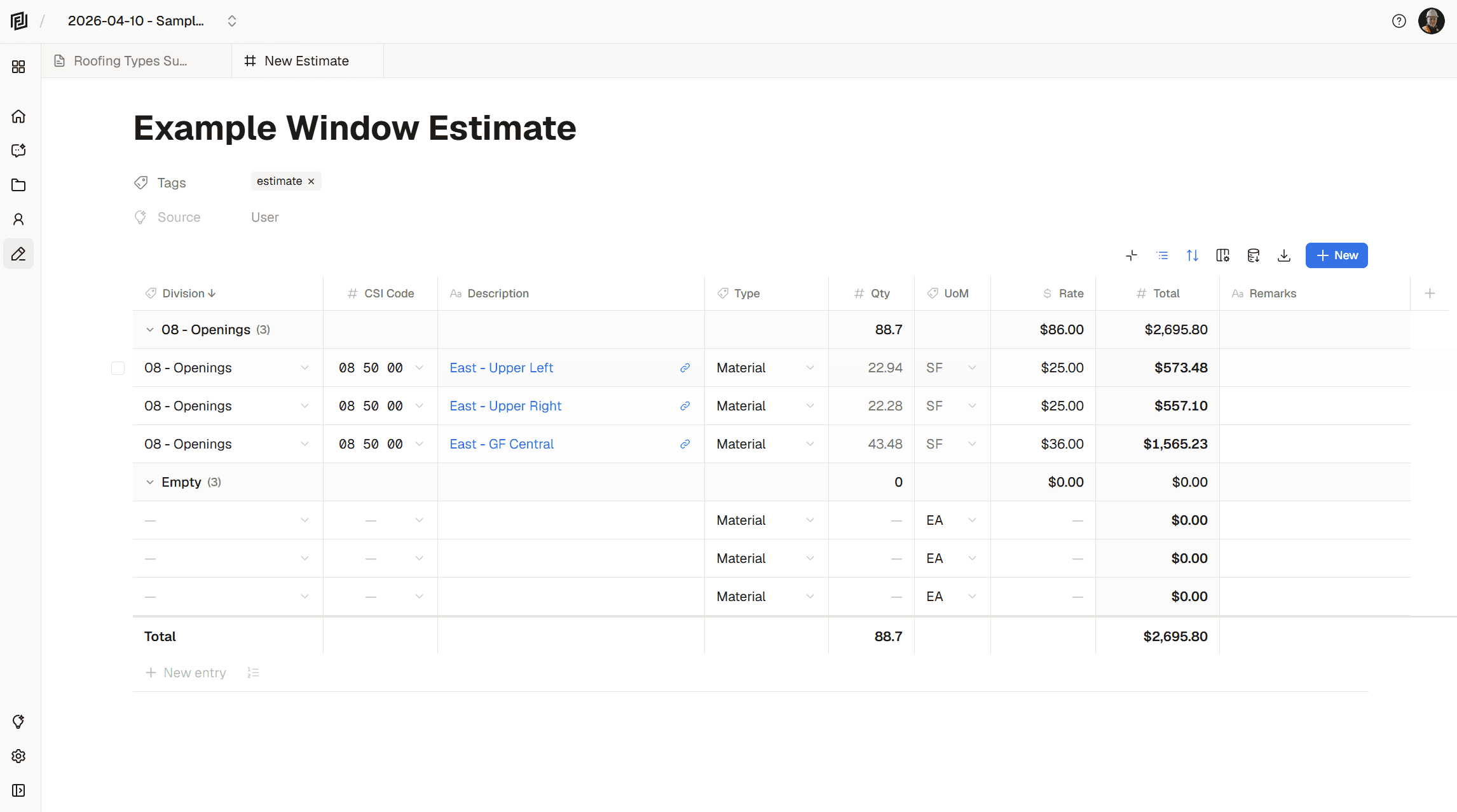
In addition to the above, we’ve completed rebuilt the estimate editor. Now you have more flexibility when it comes to grouping, sorting, and formatting. The new editor is easier to use, and significantly more reliable.
Smarter AI Tools
The AI assistant learned some new tricks. Instead of separate tools for notes and estimates, it now works through a unified content system:
- Listing Content — sees everything in your project: notes, estimates, sheets, measurement sets
- Create / Update Sheet — creates any sheet type by reading the template schema first, so columns match the content type
- Templates — the AI inspects available templates before creating content, so it knows the right column structure for an estimate vs. a blank sheet vs. a future custom type
When the AI creates content, you see it streaming in real-time. The streaming preview now shows the actual columns for whatever’s being created. Ask it to create a mockup log and you’ll see mockup log columns streaming in.
Under the Hood
This update involved a significant data migration and architecture cleanup:
- Unified data model — standardized the data model across 75,000+ database rows. Measurement data restructured into a clean nested format.
- Single API layer — the separate estimates and notes APIs are gone. Everything routes through a generic objects API that handles any content type.
None of this should change how anything looks or feels. But it means every new content type we add from here — registries, submittals, RFIs — gets the full workspace, AI, and template experience automatically. Allowing us to ship faster and more reliably.
What’s Next
We’re working on registries — structured workflows for submittals, RFIs, and change orders built on the same sheet foundation. And custom templates — build your own, share them with your team, and eventually publish them for other Framework users.
For now, open a project and try the new template picker. We think you’ll like how fast it is to get from “new document” to actually working.
Ready to streamline your project documentation? Login to Framework and try the unified workspace today.
Have feedback or feature requests? We’d love to hear from you a hello@framework.construction.


