The complete list of changes since August 27 below. For the thinking behind the new navigation, model selection and playbooks, see Framework: Polish and Playbooks.
Added
- AI Takeoffs — Ask the agent to measure walls, rooms, roof areas, linear runs or fixture counts, and it draws the measurements straight onto the drawing. Every run ends with a “View on drawing” card that opens the sheet with the new measurements in place.
- Data Tab — Each project has a new Data area that brings in records from your other tools as tables you can sort, group, filter and search. Syncs run on the schedule you choose, from every 15 minutes to daily, or on demand.
- Schedule Imports — Bring in Microsoft Project (.mpp, or linked from OneDrive/SharePoint), Primavera P6 (.xer) and Microsoft Planner plans with their outline, predecessors, float and critical path. Schedules up to 10,000 activities load in full.
- Excel and SharePoint Lists — Link the workbooks and lists you already use as logs and trackers. Your column headings come through, and status, due date and assignee columns feed the filters and overdue counts.
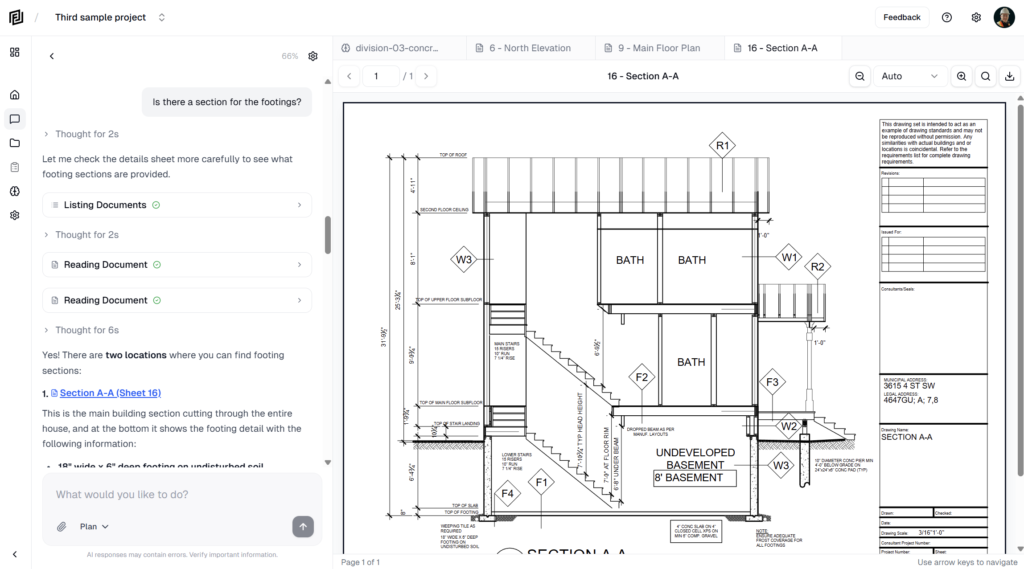
- AI Reads Your Connected Data — Ask the agent about anything in the Data tab: a schedule’s critical path, overdue plan tasks, a line in a spreadsheet log. Answers name the source and when it last synced.
- Playbooks — Shared Skills are now Playbooks: ready-made procedures with output templates and worked examples the AI follows. System playbooks cover Estimate, Schedule, Scope of Work, RFI, Project Brief, Design Review Log, Permits Log, Closeout Log, Tender Package, Submittal Requirements Log, Risk & Opportunity Register and Value Engineering Log.
- Choose Your AI Model — A model picker in the composer, with a default under Account → AI Settings. The lineup now includes Claude Opus 5.5, Claude Sonnet 5.5 (the new default), GPT-6.1 Sol and GPT-6 Luna, and each model has an info card rating intelligence, speed and cost.
- Message the Agent While It Works — The chat box no longer locks during a run. Send a message and it’s queued for the agent’s next step, so you can add a detail or change direction without stopping it.
- Microsoft 365 and Dropbox — Import drawings from OneDrive, SharePoint and Dropbox. One Import dialog now lists Google Drive, OneDrive, SharePoint, Box and Dropbox, with connected sources first.
- Project Tags — Tag projects by Phase, Client or any group you set up, then group or filter the projects list by them. Filtered views live in the link, so they can be bookmarked or shared.
- Single RFI Export — Export one RFI as a branded PDF transmittal with the question, fields, responses and attachment list.
- Usage Meter and Overage Switch — A ring in the top bar shows AI credits and documents used against your plan. Workspace owners can switch overage off to cap spend for the month.
- Getting Started Checklist — New projects open on two steps: add your drawings (or use the sample set), then start a playbook or type your own request.
- Takeoff Tools — Bend segments into curves, add or remove points, set linear, area and volume units per measurement type (yards included), and toggle snapping from the toolbar.
- Share a Page — A Share button in the top bar to invite people, set their access and copy a link.
- Bulk Company Approval — Approve all or Dismiss all for companies waiting on review in the Directory.
- New Help Center — Rewritten from the ground up: 64 articles across 13 sections, with fresh screenshots.
Changed
- AI Credits, Priced by Model — Plan allowances are now counted in AI credits based on what each model costs. Lighter models stretch your allowance further, and usage counts in the month it happens.
- Larger Plan Allowances — Starter 8M → 15M, Pro 16M → 30M, Plus 75M → 100M. Older plans were raised to match, and the overage rate is unchanged.
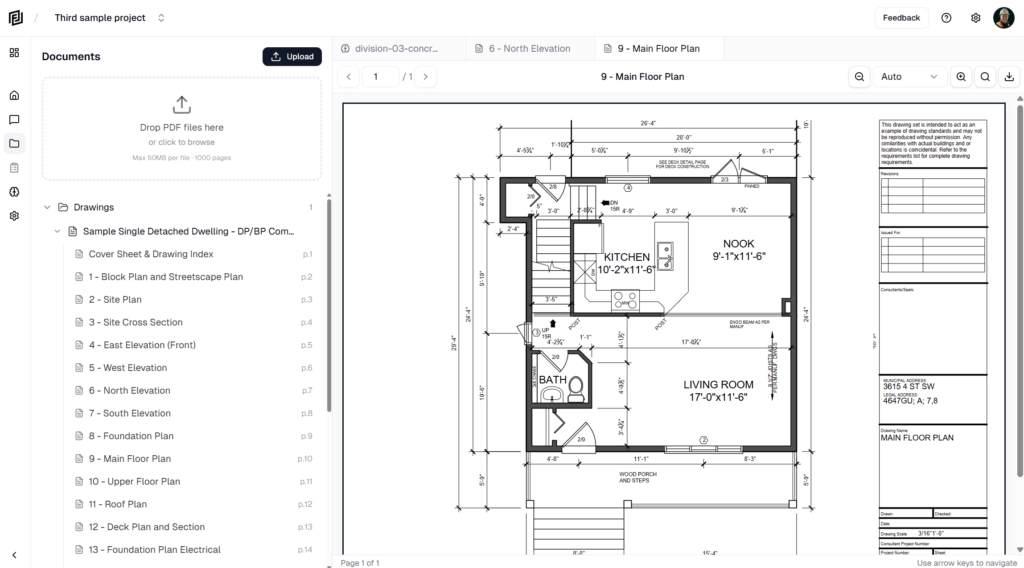
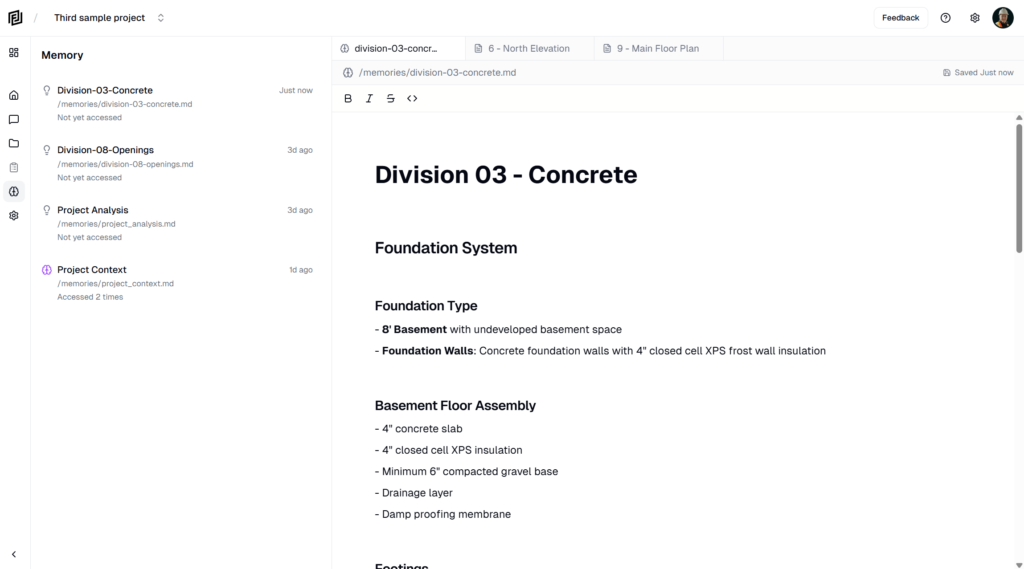
- Design Refresh — A left rail with Workspace, Agent, Files, Directory and Data, a new font and neutral palette, and a schedule editor that now matches the sheet editor.
- One Agent Mode — The separate Plan/Act and Auto/Review toggles are now one setting: Ask, Review or Auto. A single + menu attaches context and playbooks.
- Agent Plans in the Side Panel — A plan opens as a checklist next to your work, and each step expands to show what the agent found.
- Measurements Sidebar — Takeoffs are grouped in folders you can drag to reorder, with multi-select, bulk move and delete, and fuller styling for each group.
- Instant Rows — New rows in sheets, estimates and schedules appear immediately, with the first cell ready for typing.
- Phone Layout — Rebuilt for phones: a Home, Agent, Workspace, Files and Directory tab bar, larger text, and sheets and schedules that scroll as one surface.
- One Integrations Screen — Account and workspace connections are now a single Integrations page, grouped by type.
- A Directory That Fills Itself In — Companies found in your documents are matched to the directory with logos added automatically. Matching checks website, phone, address and name, so far fewer duplicates are created.
- Simpler Uploads — Uploads start as soon as you pick a file, and files over your plan’s limit are flagged when you drop them instead of minutes later.
- Longer AI Answers — Output limits were raised to each model’s maximum, so long replies are no longer cut off.
Fixed
- RFI and Submittal Fields — Before September 17, most RFI and Submittal fields, including the question, were not saving. Fixed – anything entered before that date is worth checking.
- Routines Run at Your Local Time — “Daily at 9:00” was running at 9:00 UTC, and weekly routines only ran on the first day ticked. Open and save existing routines once to switch them over.
- Large Specs and Drawing Sets — Very large specifications are now indexed in full, and any pages that fail processing are named instead of silently missing.
- MCP Connections — Connecting Claude or ChatGPT to Framework failed for several weeks from mid-August. It works again.
- Chat Reliability — AI questions no longer vanish on reload, late answers no longer fail the run, sending a new message stops the previous run instead of stacking replies, and threads no longer sit on “AI is busy”.
- Contacts From Drawings — Only the first person on a title block was being saved, and people with the same name were merged across firms. Both fixed.
- Sample Drawings — The sample set no longer uses up a slot in your document allowance.
- Ongoing Production Triage — The daily review of production errors continued throughout; the fixes above are the user-facing results, alongside dozens of smaller corrections.
Security
- Email Verification — New accounts confirm their email address before using the app.
- Narrower Microsoft Permissions — OneDrive, SharePoint and Planner are now separate connections, each asking only for the access it needs.
- Session and Access Checks — Tabs left open with an expired login go to sign-in.