A big month for the team here at Framework. The workspace got a full navigation redesign, spreadsheets learned to calculate, drawings gained a real markup and takeoff toolset, the AI agent now plans multi-step work before it builds, and Framework picked up dark mode.
Added
- Dark Mode — A full light/dark theme for the entire app, with a sun/moon toggle in the sidebar footer. Your choice is remembered and applied before the page paints, so there’s no flash on load.
- Spreadsheet Formulas & Views — Sheets now support formulas, filters, saved views, and conditional formatting. Add a filter and every total, group, and footer reflects the filtered set. Create multiple views of the same data, and edit select-column options — add, rename, recolor — in place.
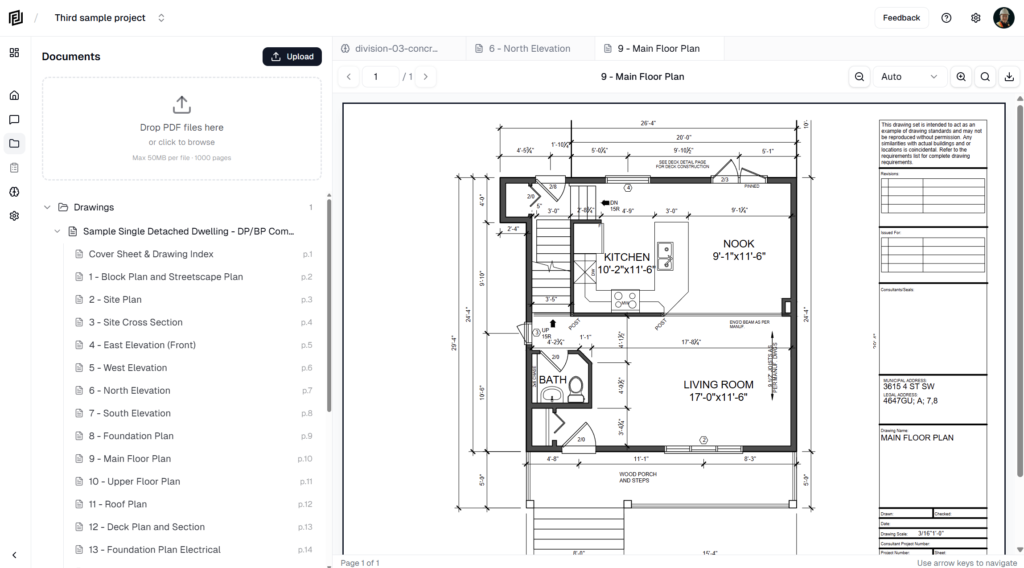
- PDF Markup & Takeoff Tools — The drawing viewer is now a full markup and measurement editor: shapes, lines, callouts, highlights, and stamps; area, perimeter, distance, and count measurements; multi-select, copy/paste, duplicate, layers with lock and z-order, and keyboard nudging. Markups and measurements flatten into exported and printed PDFs.
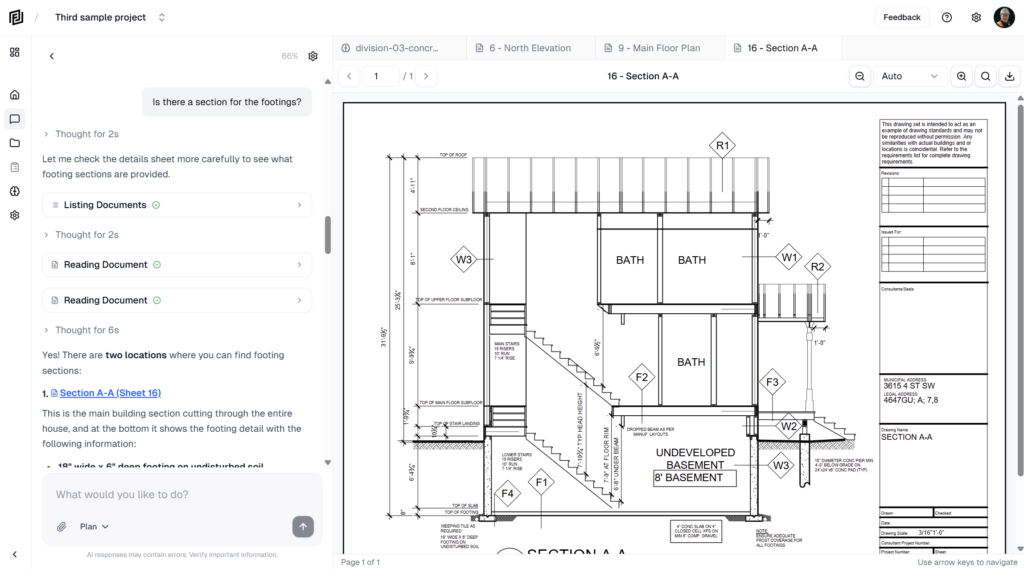
- Agent Plan — For multi-step work, the AI now researches, writes a plan, records findings under each step, and — if you ask it to — waits for your approval before building. The plan opens in its own workspace tab, and every document it produces is logged to it.
- Workspace Skills — Save your company’s reusable prompts once and attach them to any chat from the composer, instead of re-pasting the same instructions. Skills are workspace-wide: owners and admins manage them, any member can use them.
- System Skills — A set of platform-curated skills, managed by Framework and toggled on or off per workspace, alongside your own (more to follow).
- Targeted Contact Notifications — Notify specific contacts on an RFI or submittal from a new Notify column, and let the AI drive it directly in chat. Recipients open a no-login public review form to respond — no account required.
Changed
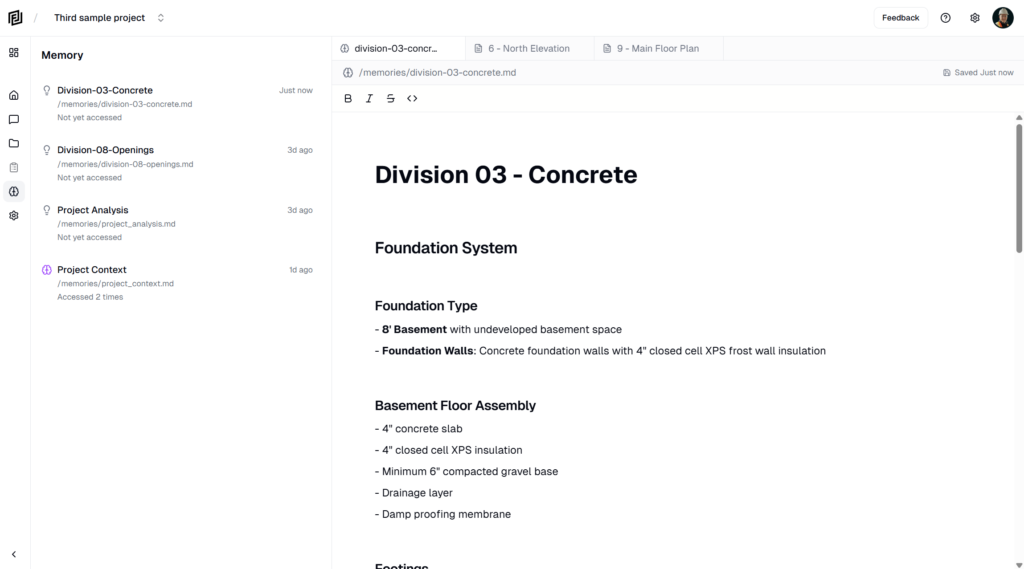
- Redesigned Workspace Navigation — The in-project icon rail is replaced by a single unified sidebar with a Workspace · Agents · Files toggle, so every area is legible by label instead of hover-to-discover icons. Contacts folded into Workspace; Routines and Memories folded into Agents.
- Create-First Home — The workspace home now leads with building: a “What would you like to create?” headline, blank starters (Note, Estimate, Sheet, Schedule), and the full template catalog inline — no modal needed to browse.
- Global Category Sidebar — Projects, Resources, and settings now live in one floating category sidebar that matches the in-project chrome, with the selected category’s data in the main viewport.
- Redesigned Projects Screen — Projects are now compact rows grouped by Your projects / Shared with you / Archived, with sorting (last active, name, date created), pagination, and a streamlined new-project modal that captures name, image, and location.
- Rebuilt Mobile Navigation — Mobile back and forward are rebuilt on a single navigation stack, fixing screens that resurrected on back or reload. The mobile home, bottom bar, and settings sheet were redesigned to match the new sidebar.
- Onboarding Refresh — A note-styled “Welcome to Framework” launcher with an embedded task list and a restructured quick-start guide.
- Smarter Long Conversations — Document-heavy chats that used to stall on the model’s context limit now trim and compact large tool outputs, trigger compaction sooner, and fail gracefully with a clear message instead of freezing silently.
Fixed
- Missing Sample Documents for New Users — Some new accounts finished onboarding with no project and no sample documents when the client-side seeding call never completed. Seeding now also fires server-side, so it can’t be skipped.
- PDF Loading Hang — Fixed a regression where PDFs hung on load after a dependency update left the viewer engine and its runtime binary on mismatched versions.
- Chat Web Search Crash — chats that ran a web search could fail through the AI Gateway. Switched to the basic web-search tool to avoid the rejected request.
- Missing Reasoning in Chat — Restored the streaming “thinking” view in chat, which stopped appearing under Sonnet 5’s new defaults.
- Sheet Editor Crash — Guarded the sheet cell editor against a null option value that could crash the grid.
Performance
- Faster Large Sheets — Sheet grids over 100 rows now virtualize, rendering only the visible rows instead of the entire table.
- Leaner AI Context — Trimmed the largest recurring tool outputs (document lists shrank roughly 60–65%) and switched to compact serialization, so document-heavy conversations stay well under the model’s context limit.
Security
- Permissions Hardening — A multi-phase pass on project and workspace access control to harden project data.